Retire ServiceNow.
Keep the Audit Evidence.
A self-hosted, read-only archive for retired ServiceNow instances. Every incident, change, approval chain, and attachment stays intact, searchable, and producible for as long as your retention policy runs.
- Read-only
- Approvals + attachments preserved
- Your infrastructure
- No ServiceNow license
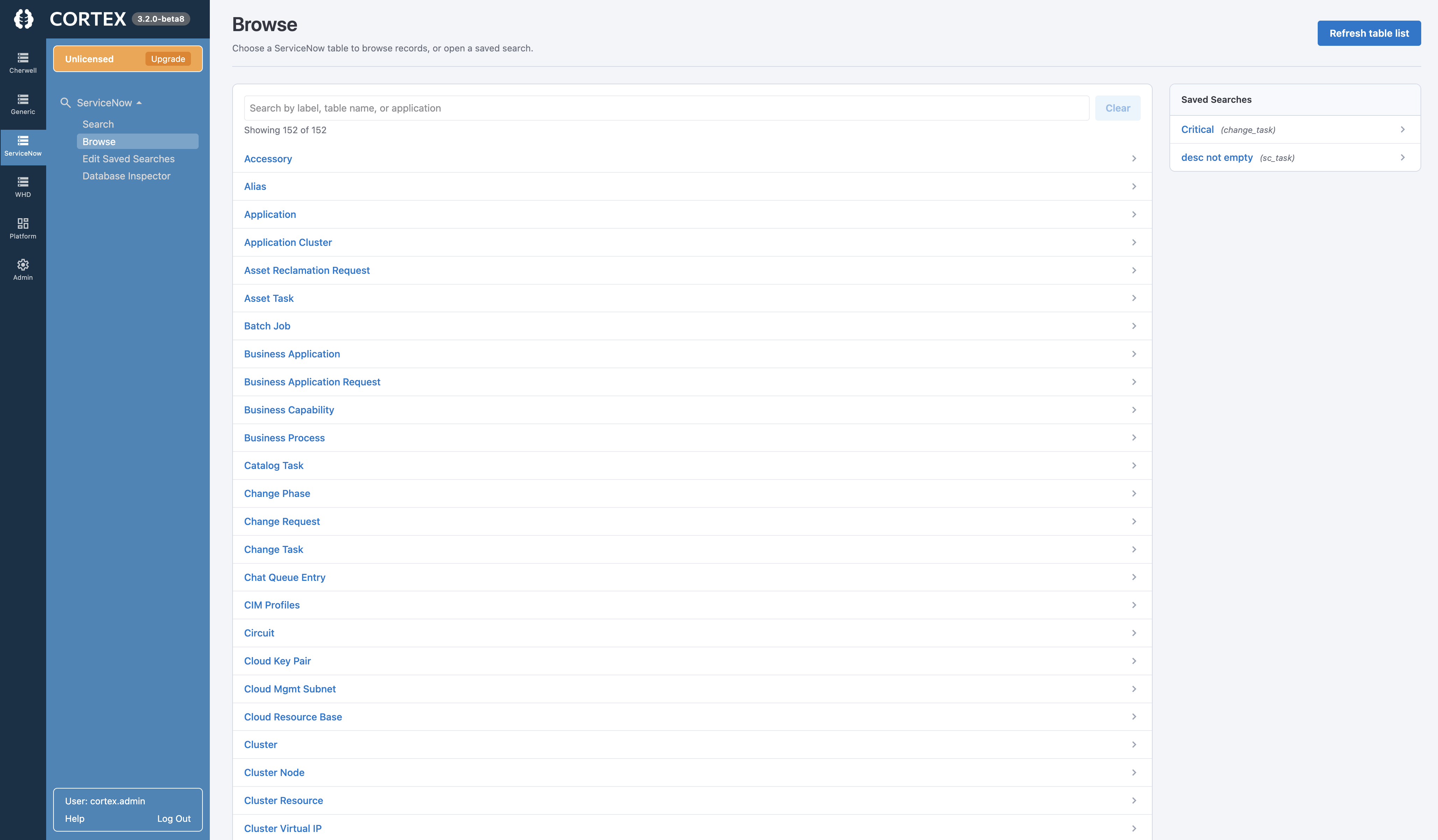
Why GRC and Audit Teams Choose Cortex Archive for ServiceNow
Auditors, regulators, and legal holds keep asking for records after the platform is switched off. Cortex keeps them answerable without keeping ServiceNow.
Evidence Auditors Will Accept
Produce the incident, the change, the approver, and the attachment as a rendered record, not a row in a spreadsheet export.
Read-Only by Design
Records, timestamps, and relationships stay exactly as exported. Nothing can be edited, so audit has an unmodified record to test against.
Retention That Outlives the Platform
SOX, HIPAA, 21 CFR Part 11, GDPR, and NIS2 windows can run seven years or longer. Cortex holds the record without a running instance or license.
Approval Chains + Attachments Intact
Change approvals surface, related lists stay linked, and attachments are extracted and relinked, so the chain of custody never breaks.
Divestiture and TSA Exits
When the transition services agreement ends and parent access is cut, the pre-separation record lives in an archive the new company owns.
Deployed on Your Terms
Self-hosted on Linux, Windows, macOS, or container. Reads MySQL or PostgreSQL backups directly. Installs in minutes. One all-inclusive subscription.
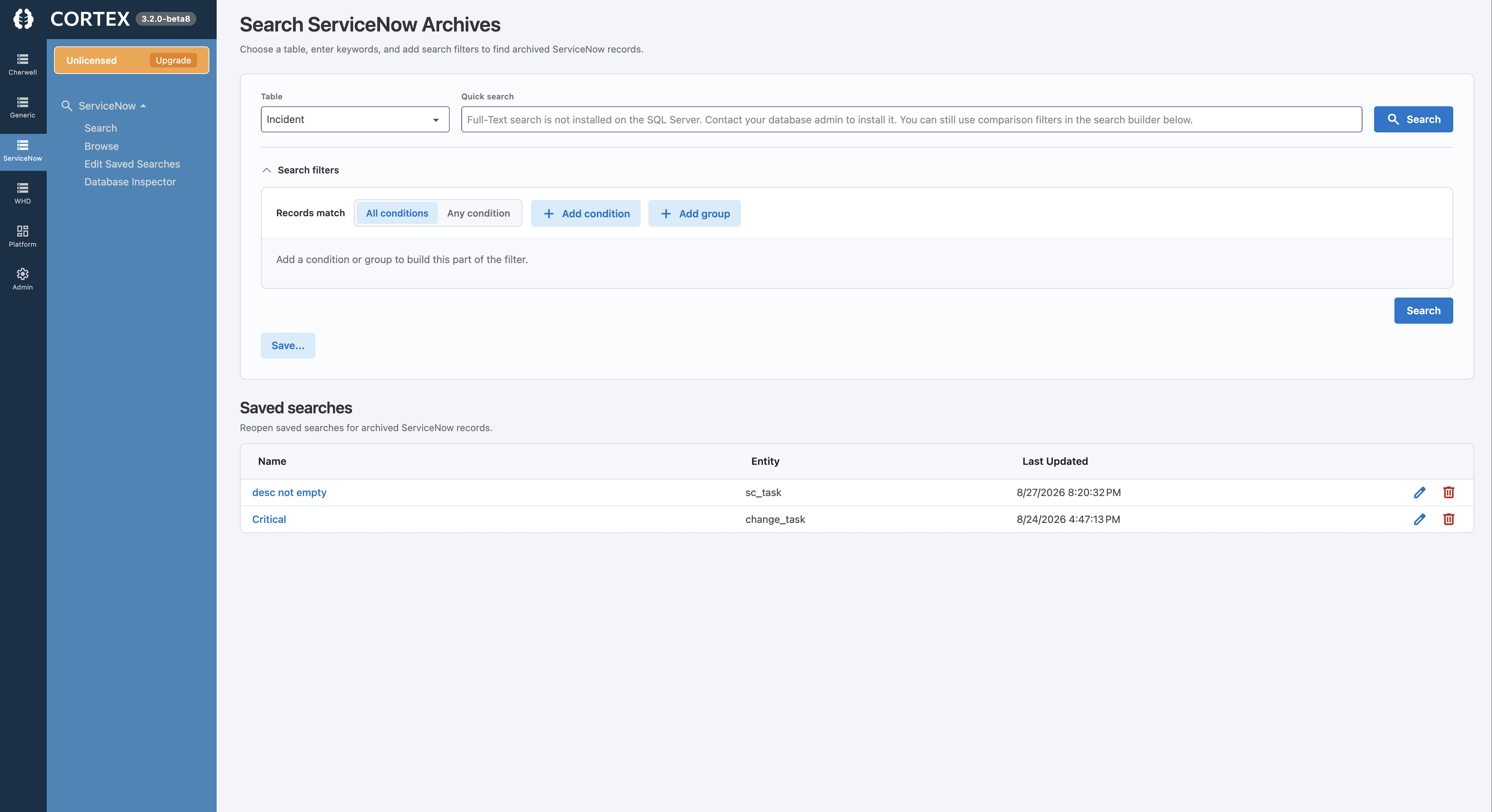
Find the Record Before the Auditor's Deadline, Not After
An audit request names a change, an approver, or a date range. A raw database export cannot answer it without SQL and the old schema.
- Filter any table by approver, state, group, or date range
- Run full-text search across years of historical records
- Open the complete record in its original form layout
- Follow the chain from change to approvals, tasks, and CIs
- Retrieve the attachments that evidence what was done
- Give auditors scoped, read-only access with user roles
What Auditors Ask For, and What a Database Dump Cannot Answer
When ServiceNow is retired, the data usually survives as a database export. The obligation to produce records from it survives too. Cortex Archive closes the gap between the two.
A Raw ServiceNow Database Export
- Tables and rows with no form context; a change is not recognisable as one
- Attachments held in a serialised format that cannot be opened directly
- Approval records disconnected from the change they belong to
- Requires SQL, schema knowledge, and someone who remembers the instance
Cortex Archive
- Records rendered in their original form with sections, tabs, and related lists
- Attachments extracted, deserialised, and relinked to the parent record
- Approval chains and related records intact and navigable
- Point, filter, open, export. No SQL, no license, no legacy instance
ServiceNow Decommissioning and Audit Retention FAQs
Can we produce ServiceNow records for an audit after decommissioning?
Yes. Cortex connects to the ServiceNow database backup you already hold, MySQL or PostgreSQL, and rebuilds incidents, changes, approvals, knowledge, and attachments as read-only, searchable records. You do not need a running instance, an active license, or the original administrators to locate and export evidence for internal audit, external audit, or a legal hold.
What happens to our ServiceNow data when the TSA ends after a divestiture?
When a transition services agreement ends, the separated company loses access to the parent's ServiceNow instance but keeps every retention and audit obligation attached to records created before separation. Cortex captures those pre-separation records into an independent, self-hosted archive the new company owns, so history stays producible after access is cut.
Which ServiceNow records does Cortex Archive preserve?
Cortex preserves incidents, requests, changes, problems, tasks, knowledge articles, configuration items, custom tables, and the attachments linked to them. Original form layouts, sections, tabs, related lists, and change approval records are reconstructed from the database metadata. Custom JavaScript and GlideRecord logic are not carried over; the underlying data and relationships are.
Is a read-only archive an acceptable way to meet retention requirements?
For records in scope for SOX IT general controls, HIPAA, 21 CFR Part 11, GDPR, or NIS2, retention typically requires historical records to stay complete, unmodified, and retrievable for the full period, which often exceeds the life of the platform. A self-hosted, read-only archive meets that requirement without keeping the source system running.
Ready to Retire ServiceNow, But Not Its Audit Trail?
See how Cortex Archive keeps historical ServiceNow records complete, read-only, and producible for every audit, hold, and retention window after the platform is gone.