Move On From Ivanti Neurons for ITSM.
Keep Its Service History Working.
Keep historical incidents, service requests, problems, changes, knowledge, configuration items, and attachments accessible in a searchable, read-only archive.
- ITSM Business Objects
- Relationships + attachments
- No inactive instance required
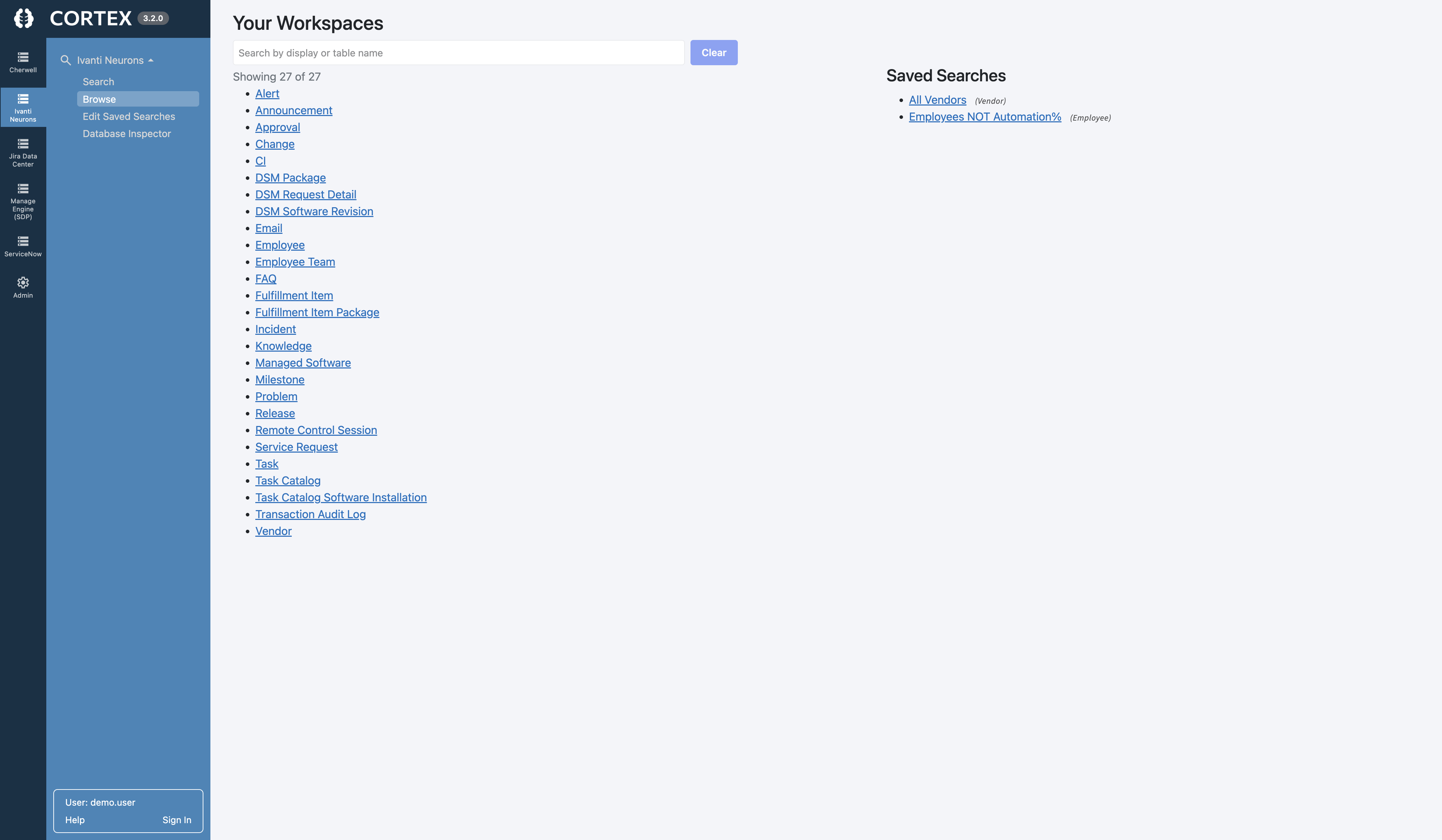
Why Choose Cortex Archive for Ivanti Neurons for ITSM?
Preserve the configured structure and context of your ITSM records without maintaining an inactive Ivanti environment or rebuilding years of history elsewhere.
ITSM Business Object Structure
Preserve incidents, service requests, problems, changes, knowledge, CIs, custom Business Objects, and their fields.
Forms + Layouts Preserved
Present historical records through configured Forms, Layouts, child panels, tabs, and familiar workspaces.
Relationships Stay Connected
Follow related incidents, requests, problems, changes, configuration items, services, and other linked records.
Notes + Activity History
Keep resolution details, notes, record activity, and historical context available with the records they document.
Attachments Stay With Records
Keep files available from the incidents, requests, knowledge articles, and other Business Objects they support.
Roles + Workspace Security
Preserve role-aware access so users see the historical Business Objects and workspaces appropriate to them.
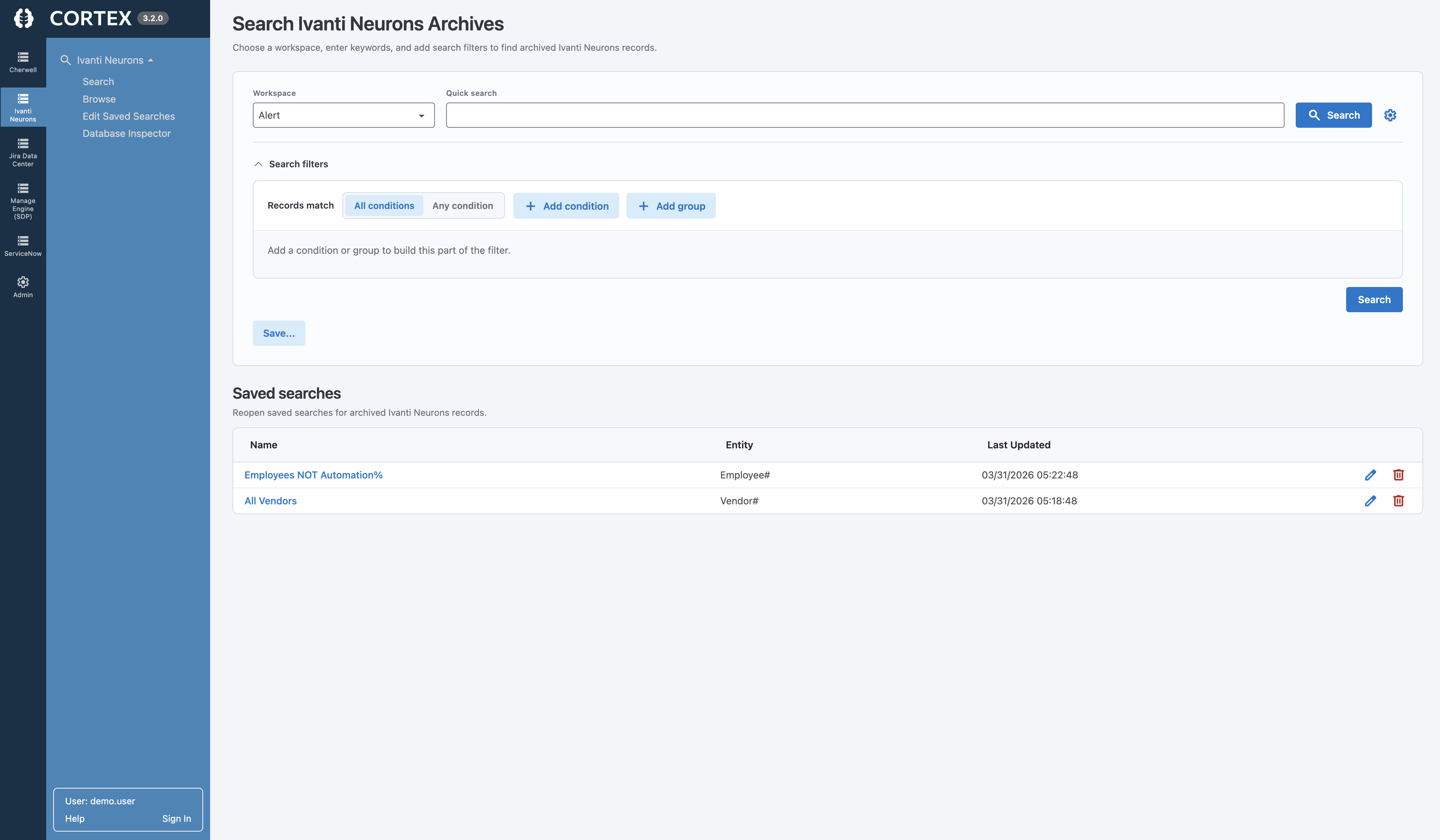
Search and Navigate Historical Ivanti Neurons for ITSM Data With Ease
Find past resolutions, service requests, knowledge, and customer context without digging through exports or querying the database.
- Search across historical ITSM Business Objects
- Filter using familiar Ivanti ITSM fields
- Open records through configured Forms
- Follow related records, services, and CIs
- View notes, knowledge, and attachments
- Respect role and workspace access
Choose Your Next ITSM Platform Without Moving All Your History Into It
Cortex keeps historical Ivanti Neurons for ITSM data accessible separately, so your replacement platform can be selected and configured around active work—not years of closed records.
Migrate Everything Forward
- Requires mapping and transforming historical ITSM data
- Adds time and complexity to the transition
- Fills the new platform with inactive records
- May lose configured Forms, Relationships, and context
Cortex Archive
- Works independently of your next ITSM platform
- Uses your retained Ivanti ITSM data and configuration
- Preserves Business Objects, Forms, Relationships, notes, and attachments
- Keeps the new platform focused on active work
Ivanti Neurons for ITSM Data Archiving FAQs
Can we access Ivanti Neurons for ITSM data after decommissioning the instance?
Yes. Cortex Archive provides a separate, read-only interface for searching and viewing retained Ivanti Neurons for ITSM records after the original instance is retired.
What Ivanti Neurons for ITSM information can Cortex Archive preserve?
Cortex supports standard and custom ITSM Business Objects, including incidents, service requests, problems, changes, knowledge articles, configuration items, fields, related records, notes, activity history, and attachments.
Does Cortex preserve Forms, Relationships, activity history, and attachments?
Yes. Cortex keeps related records and attachments connected while presenting historical information through familiar Forms, Layouts, child panels, and workspaces.
Do we need to migrate all historical ITSM data into another platform?
No. Cortex keeps historical data accessible separately, allowing the replacement platform to remain focused on active work.
Will Synapse Software have access to our data?
No. Cortex operates completely offline and does not phone home. Your data remains on-premises in your environment, giving you complete control over the application and your data. Synapse Software never has access to it.
Will Cortex's AI Features access or process our archived data?
AI functionality is disabled by default. If your organization chooses to enable it, you control the model, configuration, permissions, and security within your environment. Synapse Software does not use Cortex's AI features to scrape your data, access it, or train AI models.
Ready to Preserve Your Ivanti Neurons for ITSM History?
Keep historical ITSM records, knowledge, and context searchable and accessible for the long term.