Cherwell Is Reaching End of Life.
Your History Is Still Essential.
Keep historical Cherwell Business Objects, Form Arrangements, Relationships, Journals, and attachments accessible after December 31, 2026.
- Business Objects + Forms
- Journals + Relationships
- No legacy application required
Why Choose Cortex Archive for Cherwell?
Preserve the structure and context that made your Cherwell environment useful—without maintaining the unsupported application solely for historical access.
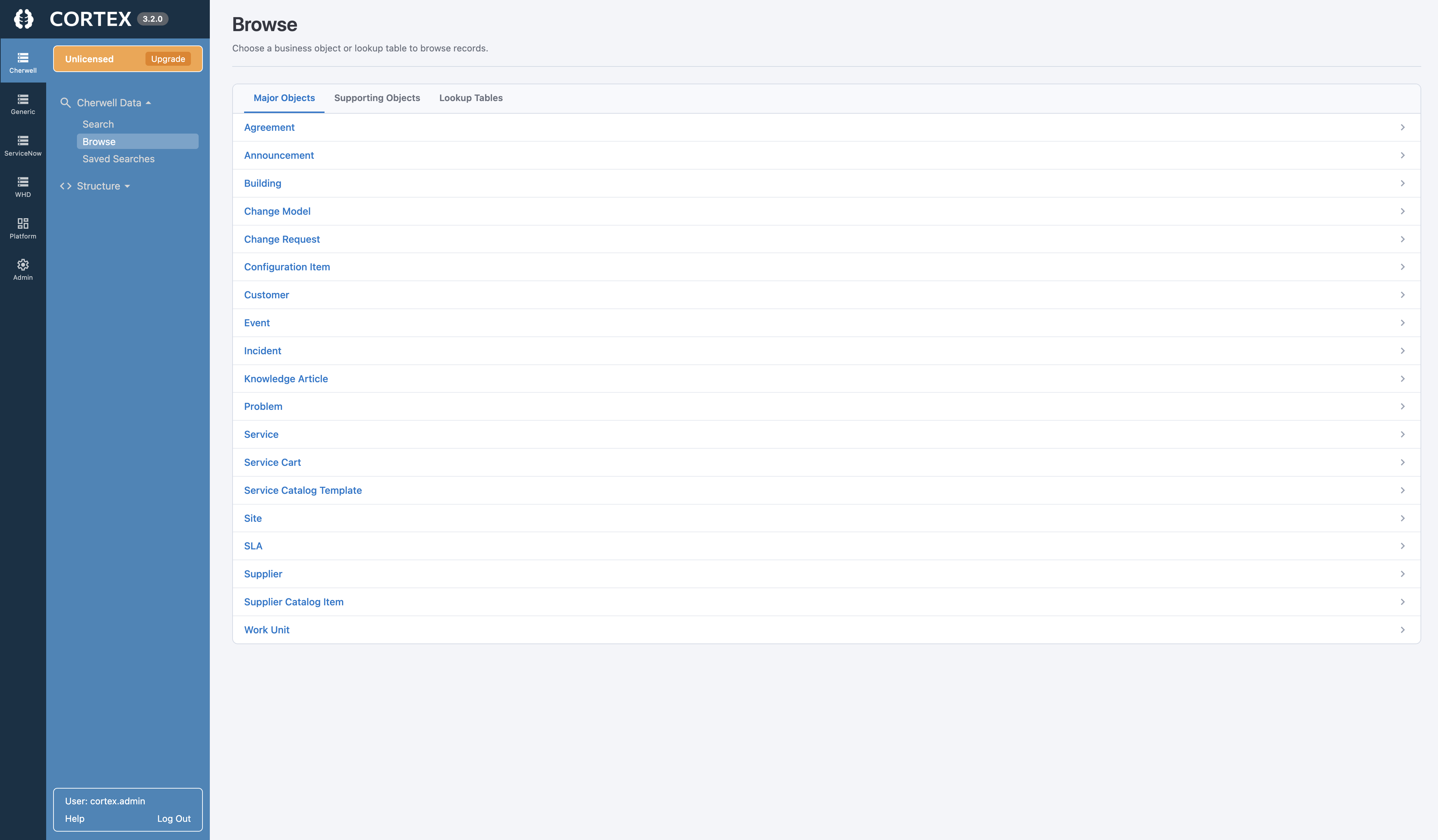
Full Business Object Structure
Preserve Major, Supporting, Lookup, and Group Business Objects—along with their fields and custom configuration.
Form Arrangements + Embedded Forms
Retain tabs, related records, embedded Forms, and additional Forms that give each Business Object its context.
Relationships Stay Intact
Navigate owned and linked Relationships between Incidents, Problems, Changes, CIs, Customers, Tasks, and Approvals.
Journals + History Preserved
Keep notes, email history, lifecycle changes, audit history, and other Journal records connected to their parent records.
Files + Related Items Stay Connected
Keep uploaded files, related Business Objects, and other associated items available from the historical record.
Reuse Cherwell Security Groups
Use existing Cherwell Security Groups to help preserve access controls across Business Objects, fields, and attachments.
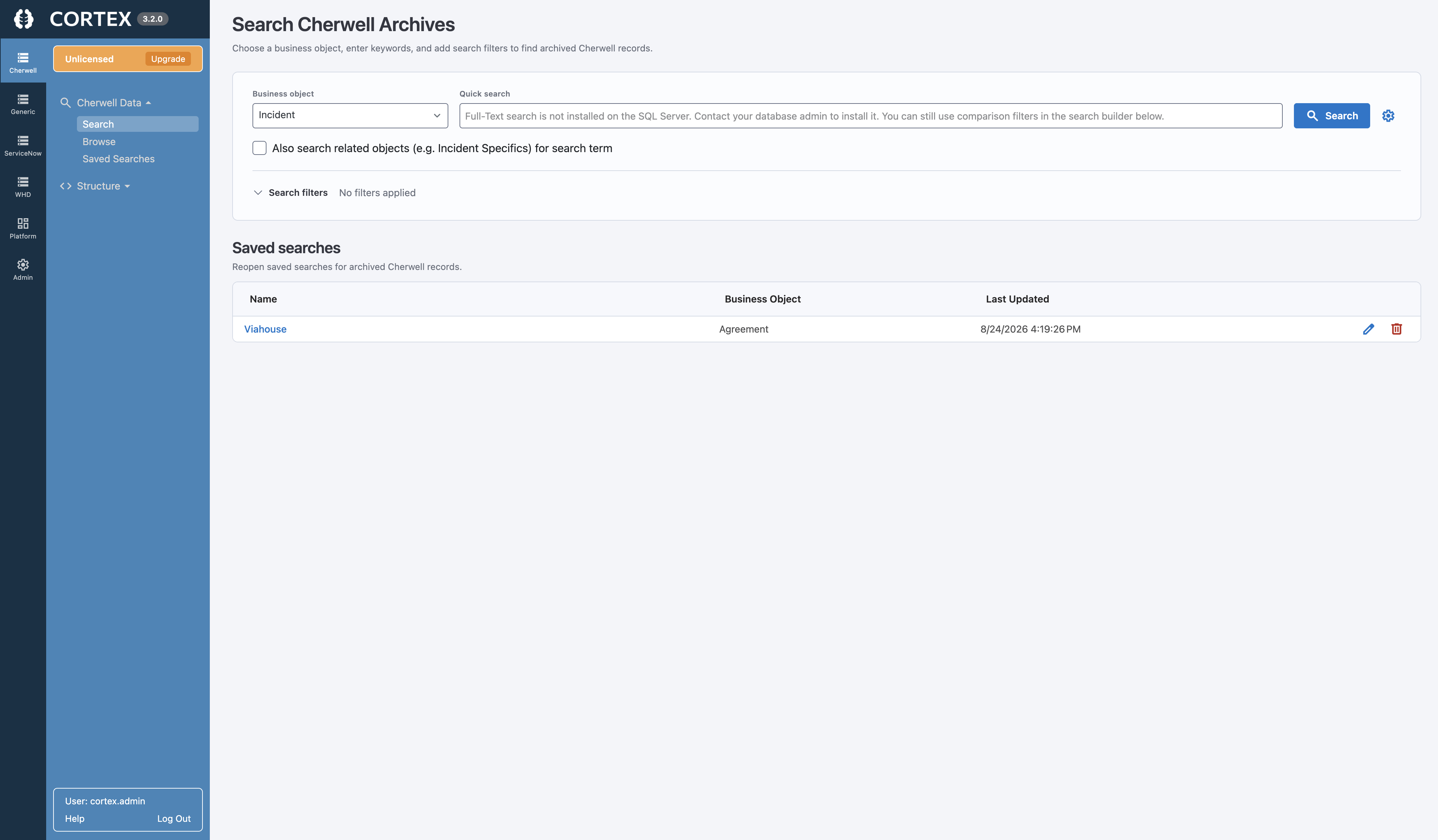
Search and Navigate Historical Cherwell Data With Ease
Your team shouldn't need database knowledge—or a scavenger hunt through exports—to find an old Cherwell record.
- Run full-text searches across Business Objects
- Filter using familiar Cherwell fields
- Recreate commonly used Saved Searches
- Open records in a familiar Business Object form
- Navigate Form Arrangement tabs and related items
- View Journals and associated attachments
Keep Cherwell History—Without Keeping Cherwell Running
Maintaining Cherwell solely for occasional historical lookups adds cost and risk after end of life. Cortex provides a separate, read-only experience for retained data.
Keeping Cherwell Running
- Depends on an unsupported legacy application
- Retains application infrastructure and administration
- Keeps history tied to the old environment
- Uses resources that could support the replacement platform
Cortex Archive
- Built for access after Cherwell end of life
- Connects to a restored Cherwell database backup
- Preserves Business Objects, Forms, Relationships, and Journals
- Keeps the replacement platform focused on active work
Cherwell Data Archiving FAQs
Can we access Cherwell data after end of life?
Yes. Cortex Archive provides a separate, read-only interface for searching and viewing historical Cherwell records after the original application is retired. This allows continued access without keeping Cherwell running solely for historical reference.
What Cherwell information can Cortex Archive preserve?
Cortex allows you to view all Cherwell Business Objects and tables, relationships, attachments, embedded forms, and audit data, presented through your configured forms and Form Arrangements. Cortex uses the same configuration you already defined in Cherwell.
Does Cortex require us to transform or import our Cherwell data?
No. Restore a backup of the Cherwell database and connect Cortex directly to it. The data does not need to be transformed or imported into a proprietary archive format before users can access it.
Can Cortex preserve Cherwell relationships, forms, and attachments?
Yes. Cortex surfaces related items, embedded Forms, tabs, Form Arrangements, Journals, and attachments alongside the historical records they belong to, preserving more of the original Cherwell context than a flat export or reporting tool.
Will Synapse Software have access to our data?
No. Cortex operates completely offline and does not phone home. Your data remains on-premises in your environment, giving you complete control over the application and your data. Synapse Software never has access to it.
Will Cortex's AI Features access or process our archived data?
AI functionality is disabled by default. If your organization chooses to enable it, you control the model, configuration, permissions, and security within your environment. Synapse Software does not use Cortex's AI features to scrape your data, access it, or train AI models.
Ready to Retire Cherwell Without Losing Your Data?
Keep historical Cherwell records searchable, accessible, and useful after end of life.